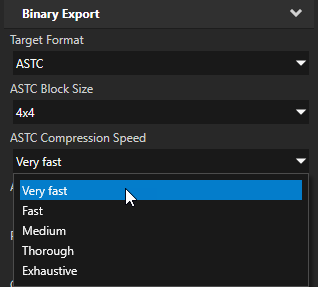
ASTC You can now decrease the size of your kzb files and improve the startup time of your Kanzi application by compressing the textures using the ASTC algorithm. The ASTC offers more control and better compression than the other compression formats available in Kanzi. See Compressing textures.
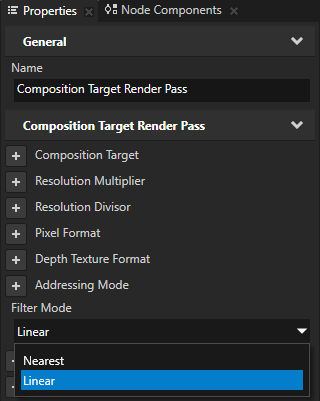
Composition Target Render Pass now has the Filter Mode property, which you can use to set the filtering mode of automatically generated composition targets. By default Composition Target Render Pass uses linear filtering, but you can use this property to set the nearest filtering. See Rendering content to a composition target.
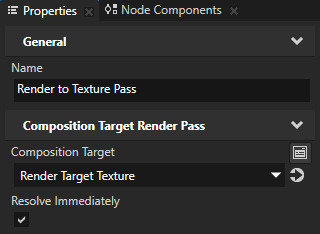
You can now set a Composition Target Render Pass to automatically resolve multisampling and mipmaps after rendering. Normally Kanzi resolves them when another render pass references the result composition target, but if you manually assign the composition target, use the Resolve Immediately property to avoid adding a render pass just to refer to the composition target render pass and perform the resolve. See Creating mipmaps for a Render Target Texture.
Kanzi now automatically creates stencil buffers for 2D and 3D composition targets. 2D composition no longer automatically clears the depth or stencil buffers, so render passes within scenes automatically composited by the Node2D must clear those buffers. By default the render passes always clear depth. This enables a Composition Target Render Pass to automatically create stencil buffers when the render pass uses them.
Cubemaps now have seamless filtering enabled. This means that texels at the seams of cubemaps blend when you use linear filtering. To use this functionality, your target hardware must support this functionality.
Added the Move Focus and Set Focus actions, which enable you to control focus in your Kanzi application without using JavaScript scripts. See Using focus.
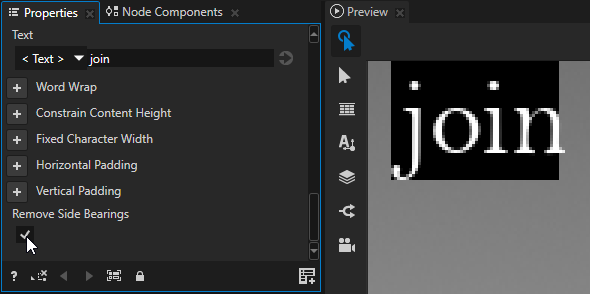
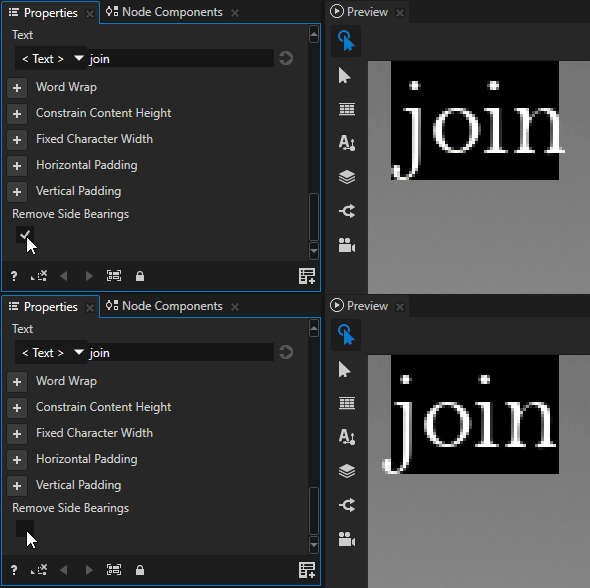
Added to the Text Block nodes the Remove Side Bearings property. Use the Remove Side Bearings property to position the leftmost characters of left-aligned text and rightmost characters of right-aligned text exactly within the boundary of the text block.
Custom Resource Manager protocol can now return null resources. For example, this enables you to display existing placeholder images until the new resource loads and then replace the placeholder image with a resource URI when the resource successfully loads.
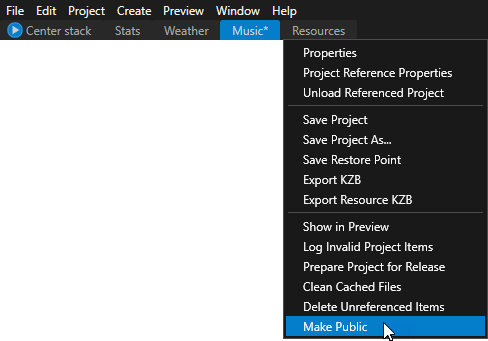
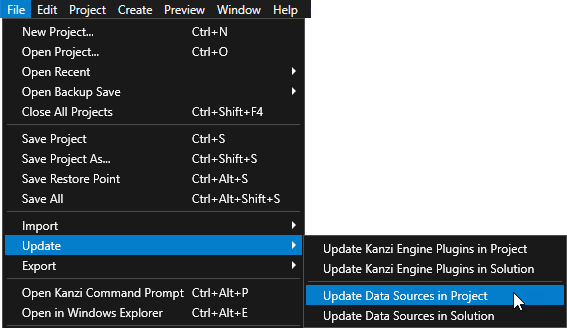
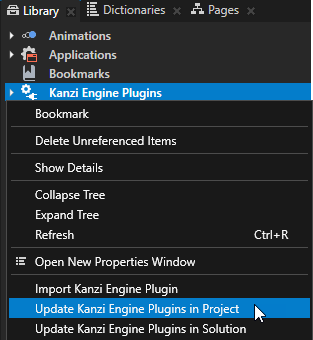
Improved the Kanzi Studio command line commands so that you can automate and streamline your workflow in Kanzi Studio projects. For example, you can now create and update data sources and Kanzi Engine plugins using a script. See Automating Kanzi Studio tasks.
You can now instantiate a Scene prefab in a Viewport 2D node using a Prefab Placeholder node, including from a referenced project using a resource ID.
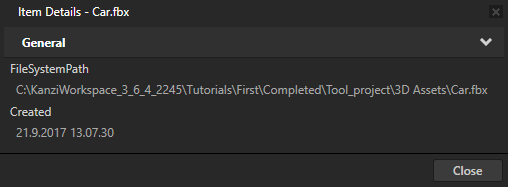
In the Library when you run the Show Details command on a resource that is stored in a file, you can now see the path to the resource file.
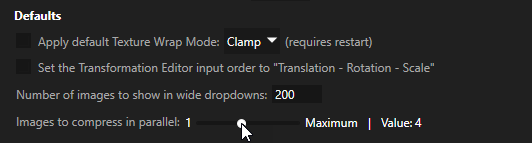
In Edit > User Preferences > Advanced you can now set the number of images you want Kanzi Studio to compress in parallel. See Compressing textures.
In Edit > User Preferences you can now set Kanzi Studio to ask if you want to load referenced projects when you open a Kanzi solution project.
When you create a Render Target created from a Viewport node, Kanzi no longer draws the debug objects to the Render Target in the Preview.
When you import an image with a name that already exists, Kanzi Studio now provides more options so that you can select whether you want to overwrite that single image, all images with the same name, add all images with the same name as new images, or cancel the importing.
Separated the Preview and thumbnail rendering processes. This way when the thumbnail rendering terminates, the Preview continues working without interruption.
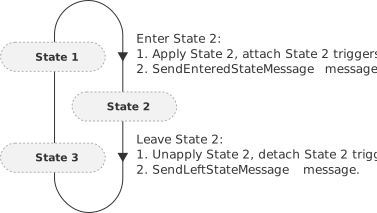
You can now use the State Manager to change tags for a node.
You can now restart the Preview using the Restart button in the Preview.
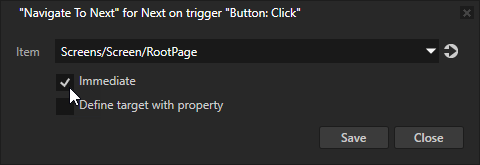
In the navigation actions for the Page and Page Host nodes you can now use the Immediate property to make an instant navigation transition without an animation.
Removed the functionality of the clearFocus() scripting function. A valid application must have a node with focus.
You can now set focus to a node when that node is being attached. In the onAttached() override of a node, you can call the trySetActiveFocus() function to set focus to that node.
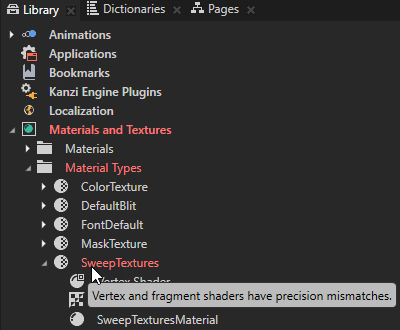
Kanzi Studio now marks in the Library with red type those material types that have varying variables with different precisions in the vertex and fragment shaders.
Changes
Now when you use the file:// protocol to load textures, to improve the visual quality, Kanzi sets the texture to use the Linear, instead of Nearest filtering.
Added the Linux CPP11 configuration.
Updated the LibPNG library used by Kanzi Engine to version 1.6.35.
Documentation
Added a tutorial that helps you learn how to add to your Kanzi application the pan, pinch, multi-click, and long-press gestures. See Tutorial: Pan, zoom, tap.
Added a tutorial that helps you learn how to add to your Kanzi application drag-and-drop functionality. See Tutorial: Drag and drop.
Improved the tutorial that helps you learn how to create application flow with Page nodes to show how to use the Kanzi Engine API to create Page navigation. See Tutorial: Create application flow with Page nodes.
Refreshed the topic about how to use bindings to include new procedures and designs. See Using bindings.
Improved the instructions for using the KanziState Manager to include:
Added instructions on how to show a Kanzi Engine plugin message type in Kanzi Studio as either a trigger or an action. See Creating custom message types.
Added information for using the Srt2D() and Srt3D() constants in bindings expressions. See Transformation bindings.
Updated the Chinese translation of the documentation to include the content released with Kanzi3.6.3.
Fixes
In the Find Project Item dialog when you select multiple found items, Kanzi Studio now correctly selects these items in the Project and Library.
You can now drag multiple items from the Assets window.
Fixed the issue which prevented Kanzi Studio to compress some images using the ETC2 algorithm.
Fixed the issue which prevented you to instantiate a Scene node prefab using a kzb URL.
Fixed the issue which caused the Pipeline State Render Pass to create wrong result when you set the Color Write Mode property to Alpha.
Fixed the issue which prevented the ProfilerRegistry<AbstractProfiler> to work with DLL configuration.
Fixed kzcScreenCaptureToImage to always capture the whole screen.
Fixed the issue which on devices using Vivante framebuffer sometimes caused multiple pointers to stay pressed on the touch screen after releasing the fingers from the touch screen.
When you render a Composition Target Render Pass to a Render Target Texture, setting the Width and Height of the Render Target Texture to Automatic now works.
Fixed the issue which prevented the change of the value of the Material property in some cases.
The NavigationParent message now works with Page Host nodes.
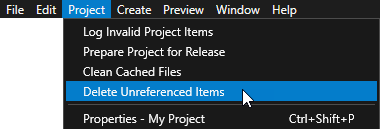
When you run the Delete Unreferenced Items command on binary shader, Kanzi Studio no longer deletes binary shaders.
When you open a prefab in a composition tab, the Project window now by default shows only the nodes in that prefab.
Fixed the default keyboard shortcut CtrlW for closing composition tabs.
Prepare Project for Release command now plays nicely with the composition tabs.
You can now create a Prefab View 3D node in a Viewport 2D node.
In the Dictionaries window the search now returns also those resources that you just added to a resource dictionary.
Fixed the auto-recording of changes in the State Tools.
Setting Blend Mode to Alpha: Automatic now resolves to Alpha: Mixed instead of Alpha: Non-premultiplied.
Having the application.cfg file in the Application/bin directory no longer prevents you from updating data sources.
The kanzi/core.ui/graphics3d/mesh_create_info.hpp header is now included in kanzi.hpp.
You can now use the Kanzi Studio property editors GenericResourceFileSelector and DefaultProjectObjectSelector for property types declared in a Kanzi Engine plugin.
Improved performance and stability of Kanzi Studio and the Preview.
Several fixes made based on static code analysis, including Visual Studio 2017, Clang, and Coverity.